Access instructions
How to access course folders on the GenomeDK computing cluster to run the course material:
- Log into genomeDK with your account and password, starting from the virtual desktop webpage. Choose
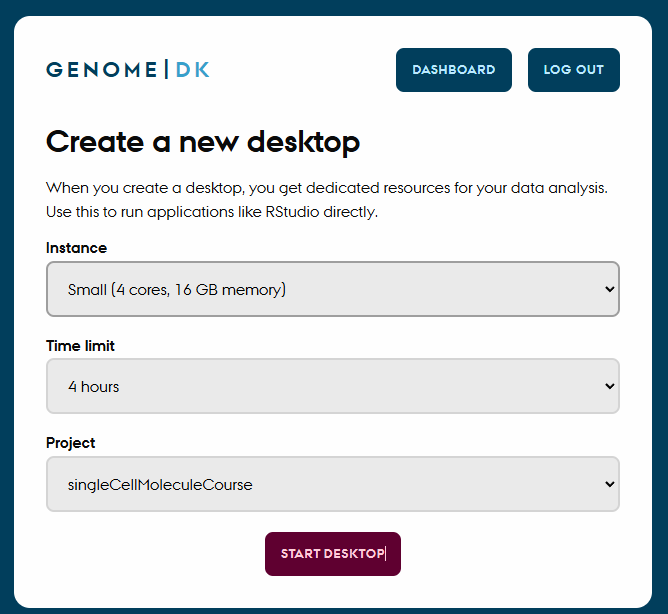
Start a new Desktopand then choose one with at least 8 cores. Choose some hours for the session and the projectsingleCellMoleculeCourse(figure below).
Once you are logged in, open the folder
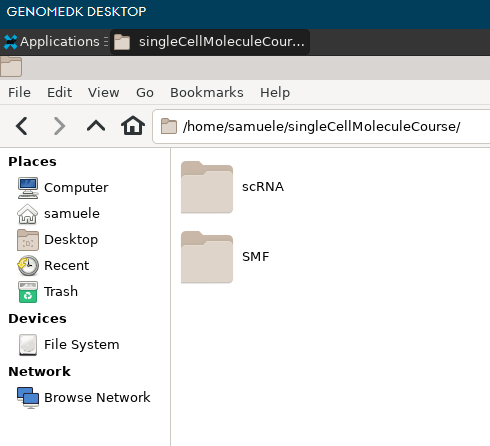
singleCellMoleculeCourse/, which is found in your home directory. Your home directory is/home/USERNAMEand is always shown as soon as you open the file explorer on the virtual desktop.Here you will see two folders:
SMFfor the Single Molecule Fluorescence sessionssnRNAfor the single-nucleus RNA-seq sessions
Inside each of these folders, you will find a folder with your name. Go into such folder for the session you are interested in.
- Now you are ready to continue with the instructions to run the material. From the top menu, choose
SCSM courseand then eitherSMForsnRNA.